.svg?fit=max&auto=format&n=mPHHzoA5GT4E38PL&q=85&s=476f5e0f52403962a9938292fd13cf9b)
.svg?fit=max&auto=format&n=mPHHzoA5GT4E38PL&q=85&s=d9661161e773aa91cc1f45d852fc9825)
Create a contact with a restricted asset list
- Go to Address Book → Contacts.
- Click Add New Contact in the top-right corner.
- In the Add New Contact panel, fill in:
- Contact Name
- Address
- Chain
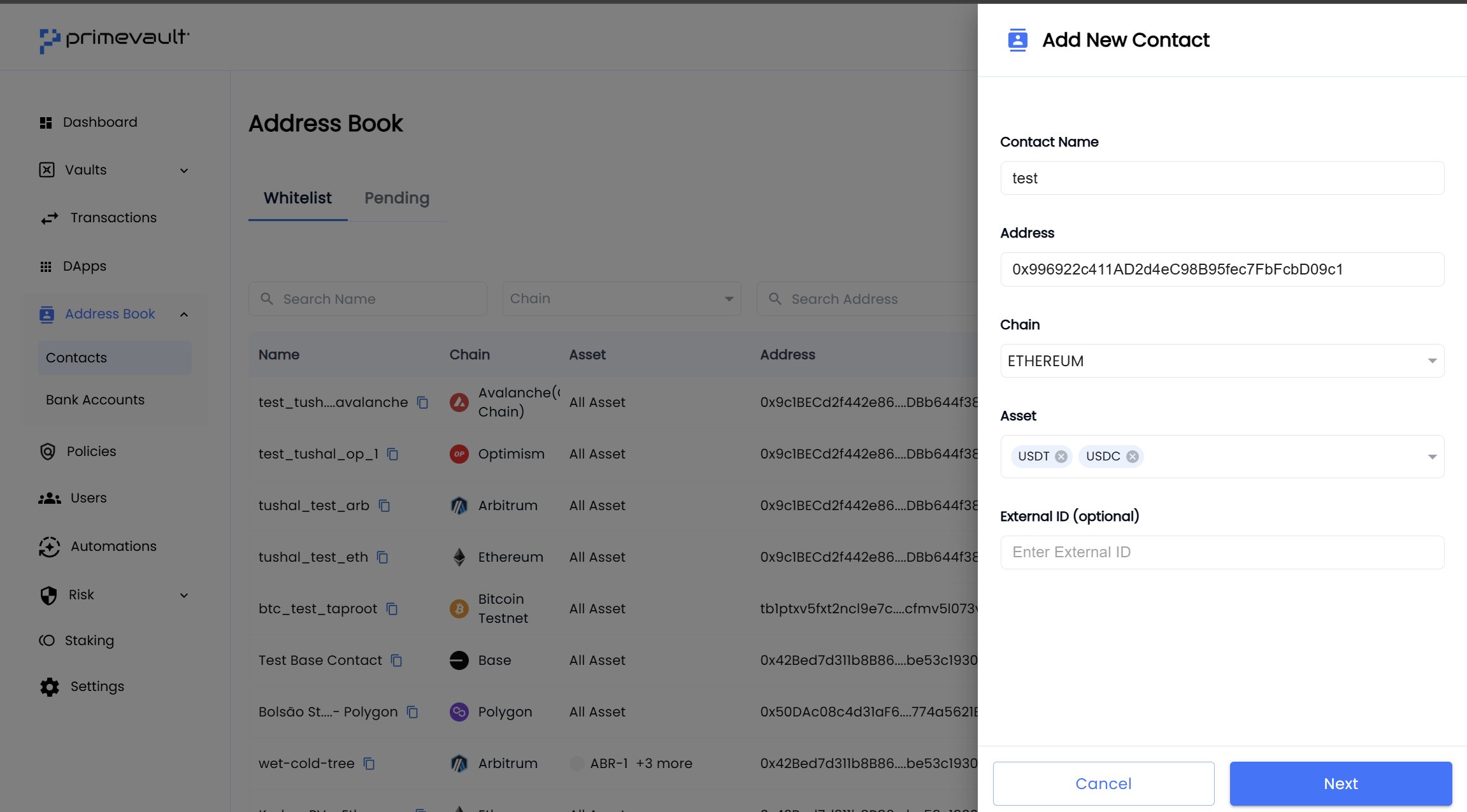
- In the Asset field:
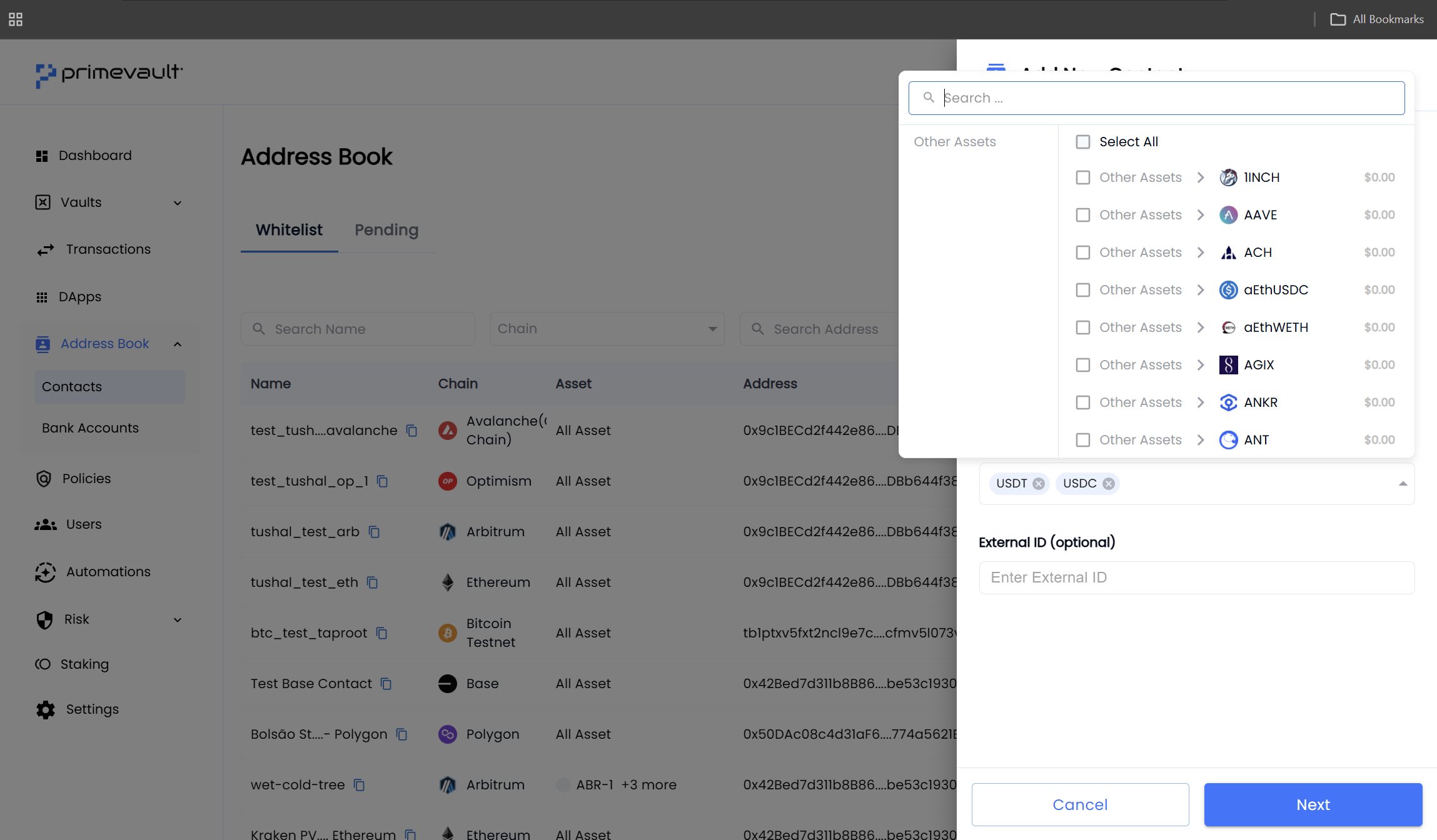
- Click the dropdown to open the asset picker.
- Search or scroll to find the assets you want this contact to receive (for example, USDT and USDC).
- Select one or more assets. They’ll appear as chips under the field.
- Click Next and complete the remaining steps to save the contact.
- If the asset is on the list, the transaction can proceed (subject to policies and approvals).
- If the asset is not on the list, the transaction will be blocked, and you’ll see an error that this asset is not permitted for that contact.
Edit the asset list for an existing contact
- Go to Address Book → Contacts.
- Click on the contact you want to edit.
- In the contact drawer, update the Asset field:
- Add or remove tokens as needed.
- Save your changes.