.svg?fit=max&auto=format&n=mPHHzoA5GT4E38PL&q=85&s=476f5e0f52403962a9938292fd13cf9b)
.svg?fit=max&auto=format&n=mPHHzoA5GT4E38PL&q=85&s=d9661161e773aa91cc1f45d852fc9825)
Core Vault Introduction
Multi-chain and multi-asset segregated, non-custodial vaults with (deposit / wallet) addresses on each chain to manage digital assets, conduct token treasury operations and manage DeFi investments and trading as a team.Steps to set up a Core Vault
- Create a Core Vault
- Add Name, Select Policy Templates, and Vault Type as Core
- Review and finish
Create a Core Vault
1
Select ‘+ New Vault’ from the right side of the platform
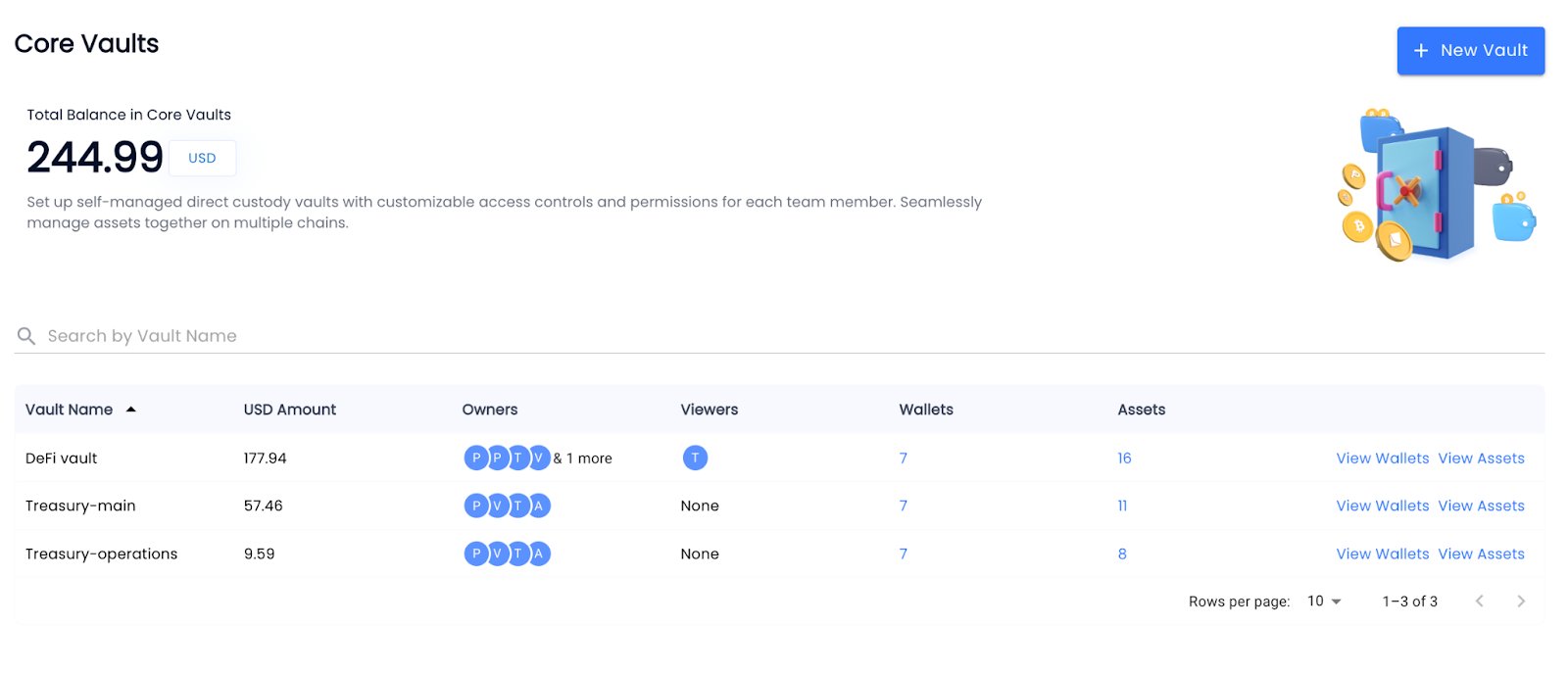
2
Name your Core Vault, Select Policy Template for the vault and select ‘Core Vault’ under Vault Type
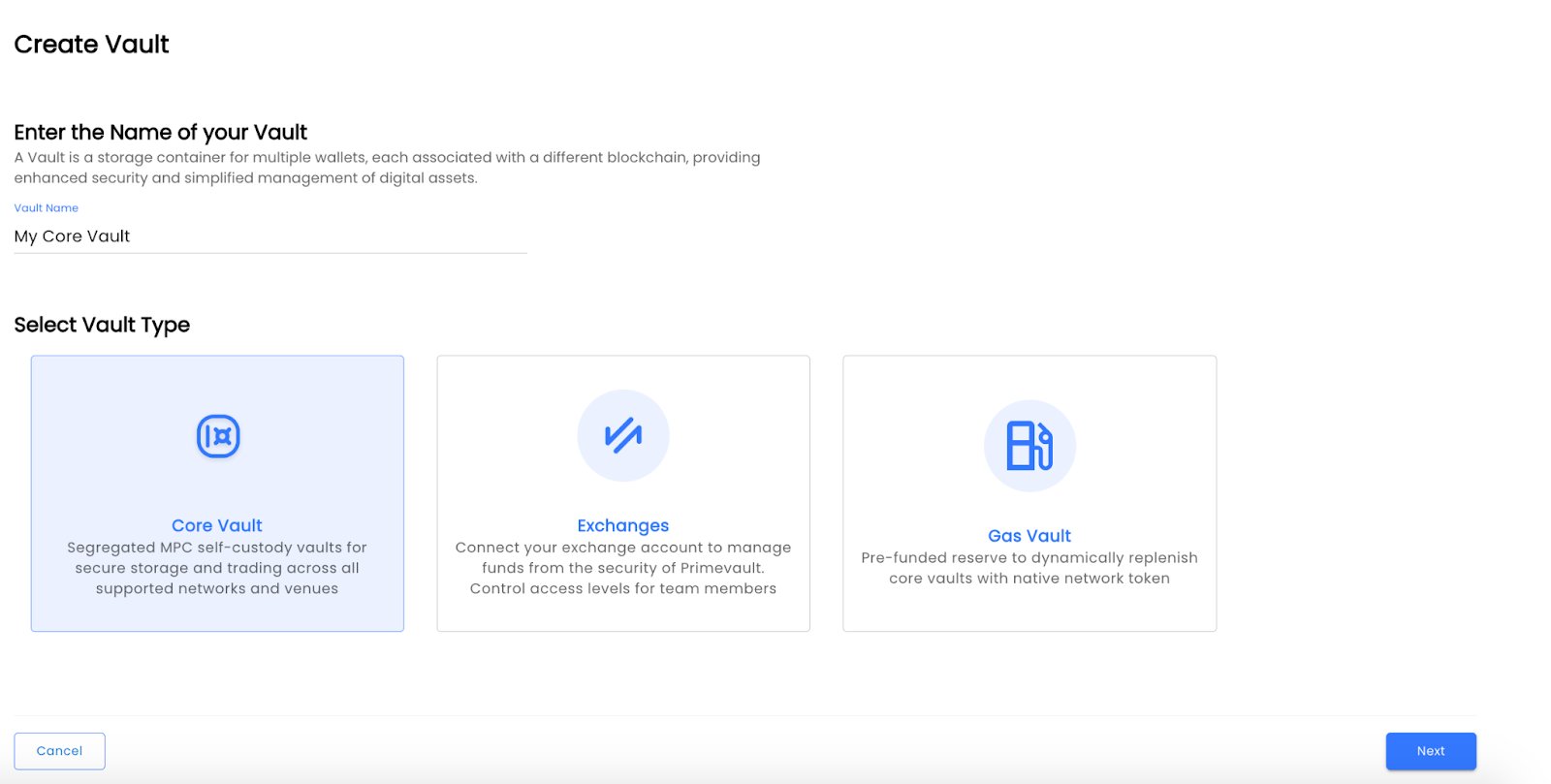
3
Select Mainnet vs Testnet vault. Default is Mainnet
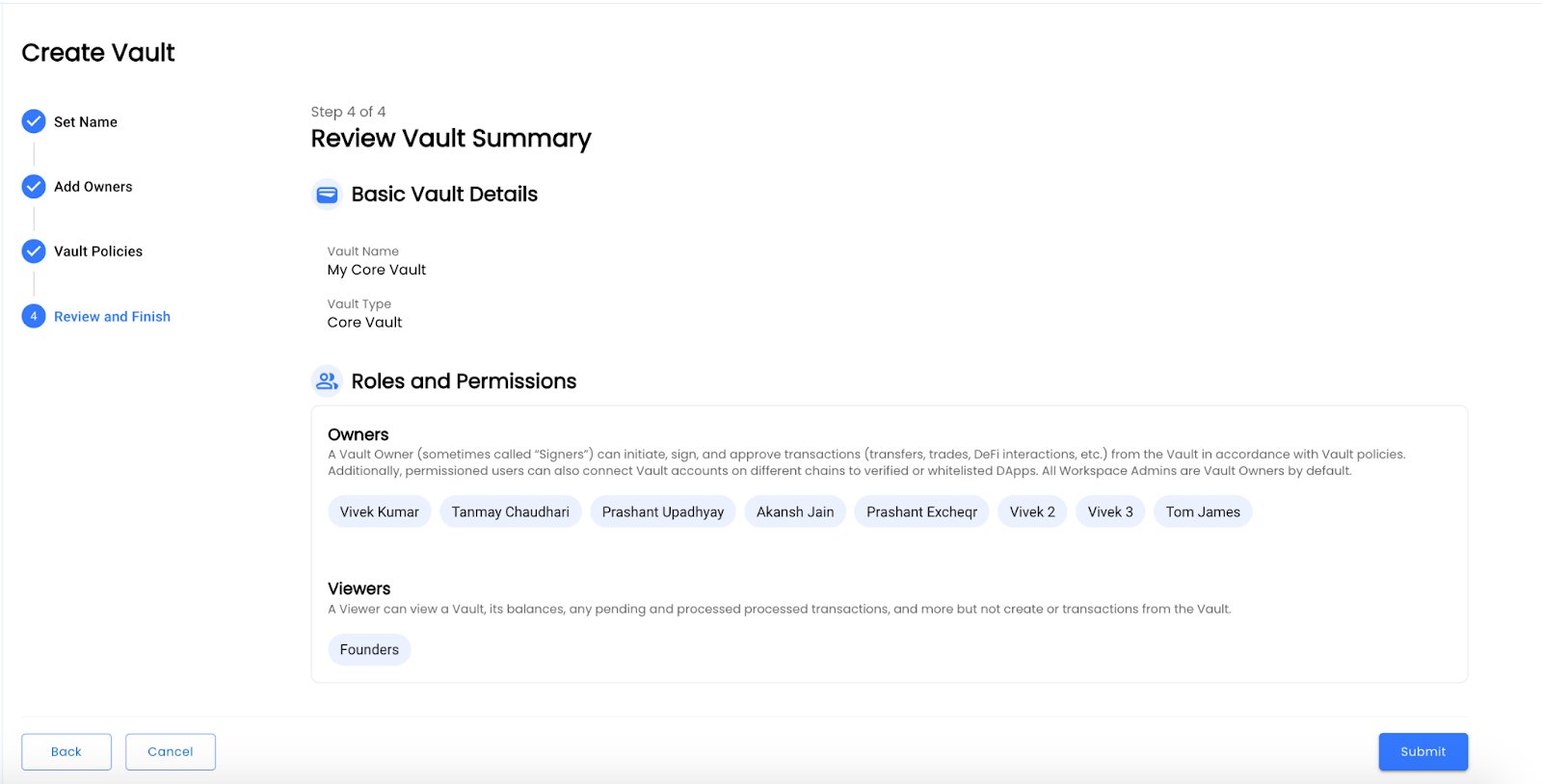
Review and Submit
- Review your policies and submit, in case you’d like to make changes - please click back button
Archive
- Find the vault you want to archive in the list, then click the three dots (⋮) on the right-hand side of that row.
- Select Archive Vault from the dropdown.
- If the vault has a balance, you will see a warning. Move assets out before proceeding.
- Confirm the action by clicking Yes, Archive Vault.